
Here is a polished Knowledge Base Article explaining block explorers, tailored for Wire Wallet so it fits naturally into your help center.
What Is a Block Explorer?
A block explorer is a public website that allows anyone to view detailed, real-time information about blockchain activity. You can think of it as a search engine for a blockchain network—showing transactions, wallet addresses, tokens, staking activity, validator performance, and more.
Block explorers are an essential part of how open, transparent blockchains work. They let you independently verify what’s happening on-chain, even outside of the Wire Wallet app.
Why Block Explorers Matter
Because blockchain networks are public and decentralized, every transaction is recorded on a shared ledger.
A block explorer lets you view:
-
The status of a transaction
-
The exact amount sent or received
-
Network fees paid
-
Which wallet addresses were involved
-
Token transfers
-
Staking or smart contract interactions
-
Timestamp and block number
-
Validator confirmations
This transparency helps you confirm that your actions in Wire Wallet were processed successfully by the blockchain.
Why You Might See a Block Explorer in Wire Wallet
Wire Wallet aims to hide unnecessary complexity—but sometimes you may want to see deeper, more technical details about your activity.
We may show block explorer links when:
-
A transaction is pending and you want real-time updates
-
You need to verify fees, token transfers, or contract calls
-
A transaction appears stuck or delayed
-
You want details about staking or liquidity token issuance
-
You want to verify your transaction independent of the wallet
-
Support asks you to share a transaction URL for troubleshooting
In these cases, Wire Wallet will open the appropriate explorer for the network you’re using (e.g., Solana Explorer for Solana, Etherscan for Ethereum).
Examples of Popular Block Explorers
Different blockchains have their own explorers:
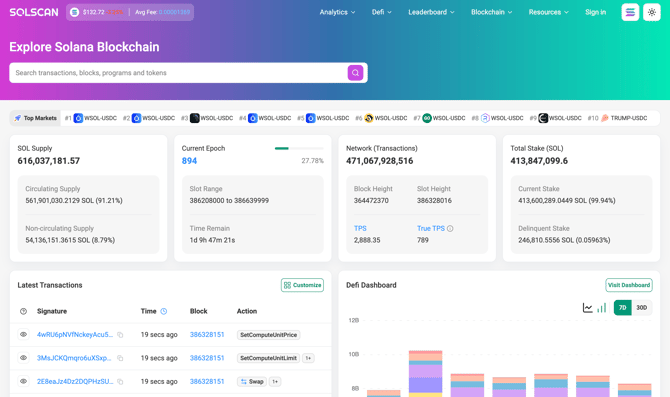
Solana
- Solscan
-
Solana Explorer (explorer.solana.com)
-
Solana Beach
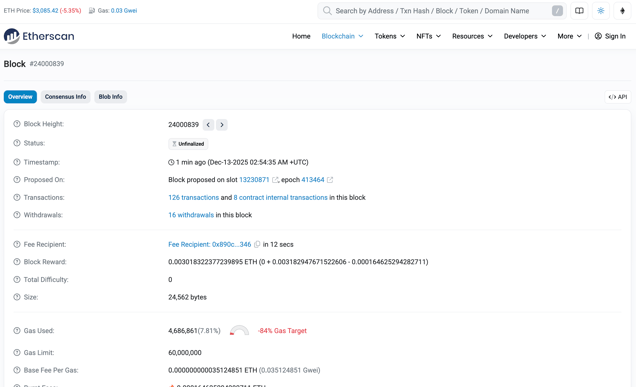
Ethereum
- Etherscan
-
- Others
-
Blockchair
-
Ethplorer
-
Each explorer shows similar types of data, but the interfaces may vary.
What You Can Do on a Block Explorer
Here are common actions you might perform:
🔍 Look up a transaction
Paste the transaction ID (also called a signature or hash) to see:
-
Status (success, pending, failed)
-
Fees paid
-
Tokens moved
-
Block confirmation details
📬 View a wallet address
You can see:
-
Token balances
-
NFT holdings
-
Transaction history
(Only public information—never private keys or identity.)
⚙ Review smart contract interactions
Advanced users can decode contract calls or verify protocol interactions.
🧾 Track staking activity
Some explorers show:
-
Delegations
-
Validator performance
-
Rewards over time
Is Using a Block Explorer Safe?
Yes. Block explorers are read-only tools.
They cannot:
-
Access your wallet
-
Move assets
-
Use your keys
-
Change your transaction history
They simply show publicly available blockchain data.
For privacy, Wire Wallet only shares:
-
The transaction ID
-
Relevant blockchain data
-
Never your recovery phrase, private keys, or personal information
Why Wire Wallet Uses Block Explorers
Our goal is clarity and transparency.
Sometimes the blockchain provides details that go beyond what we show in the UI. Offering explorer links allows you to:
-
Verify information independently
-
Troubleshoot delays
-
Understand transaction details
-
View advanced technical data when needed
You’re always in full control, and explorers help you stay informed.